How to Make Your First Deposit on RK Worlds Using GCash
What You Need Before Your First Deposit
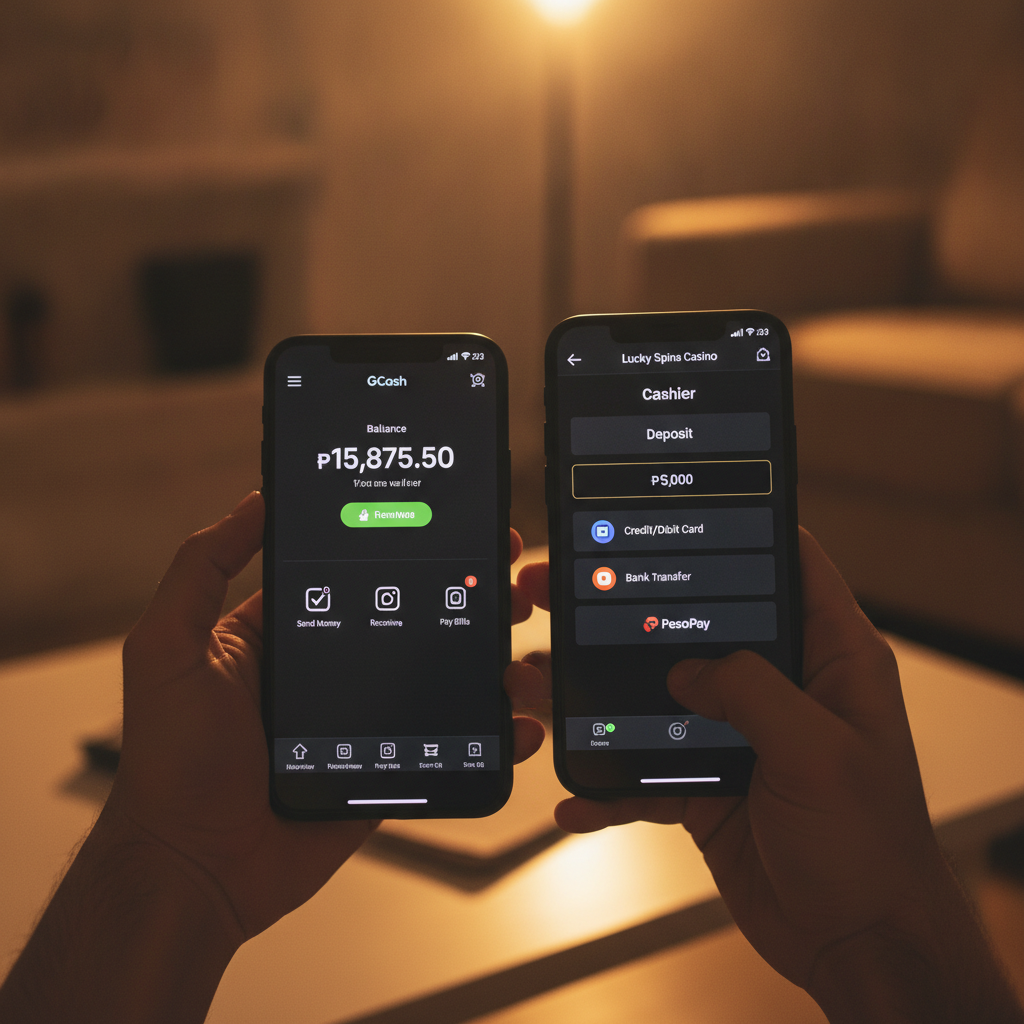
Before you fund your RK Worlds account, make sure you have completed registration and logged in. You will also need a verified GCash account with enough balance to cover your deposit. RK Worlds is for players aged 21 and over only.
Most first-time players deposit between PHP 100 and PHP 500 to get started. This guide walks through every step of adding funds using GCash, one of the most popular payment methods for Filipino players.
Minimum Deposit Amount on RK Worlds
RK Worlds sets a minimum deposit of PHP 100 for GCash transactions. There is no fixed maximum shown on the cashier, but most players making their first deposit stay within the PHP 100 to PHP 500 range.
Depositing the minimum lets you try slots, place a few sports bets, or sit at a live dealer table without committing a large amount. You can always add more funds later if you decide to keep playing.
Keep in mind that the amount you deposit is the amount available for play. RK Worlds does not promise guaranteed returns or risk-free wagering, so only deposit money you can afford to lose.
Opening the RK Worlds Cashier
Once you are logged in to your RK Worlds account, look for the Deposit or Cashier button. On mobile it is usually found in the top-right corner of the screen or inside the main menu (three horizontal lines).
Tap Deposit. The cashier page will display a list of payment methods available to players in the Philippines. You should see options including:
- GCash
- Maya
- Bank transfer (InstaPay or PESONet)
Select GCash by tapping on the icon or button.
Entering Your Deposit Amount
After choosing GCash, you will see a field where you enter the amount you want to deposit. Type in your chosen amount in pesos—for example, PHP 200.
The cashier will show you the minimum and, if applicable, the maximum allowed for a single GCash transaction. If you enter an amount below PHP 100, the system will display an error message asking you to increase it.
Double-check the figure before moving forward. Once you submit the deposit request, RK Worlds will prepare the payment instructions.
Following the GCash Payment Instructions
RK Worlds will show you a set of payment details on screen. Depending on how the platform routes GCash transactions, you may see:
- A QR code to scan using your GCash app
- A GCash mobile number to send money to
- A reference number or transaction ID to include
If a QR code appears:
- Open the GCash app on your phone.
- Tap Scan QR on the home screen.
- Point your camera at the QR code displayed on the RK Worlds cashier.
- Confirm the amount and recipient name in GCash.
- Tap Next and enter your GCash MPIN to authorize the transfer.
If you see a mobile number:
- Open the GCash app.
- Tap Send Money and choose Send to Mobile Number.
- Enter the GCash number shown on the RK Worlds cashier.
- Type in the exact deposit amount.
- Add the reference number or transaction ID in the message field if one is provided.
- Review the details, then tap Next and confirm with your MPIN.
Always check that the amount you send in GCash matches the amount you entered on RK Worlds. A mismatch can delay processing.
Completing the Transfer on Your Phone
After you enter your MPIN in the GCash app, the transfer is submitted. GCash will show a confirmation screen with a transaction reference number. You can take a screenshot of this screen for your records, though it is not usually required by RK Worlds.
Return to the RK Worlds app or browser tab. Do not close the cashier page yet. Some players see an automatic redirect back to their account dashboard once the deposit is confirmed; others will need to tap a Done or Return to Account button.
How Long Deposits Take to Appear in Your RK Worlds Balance
Most GCash deposits on RK Worlds are credited instantly or within one to three minutes. The platform's system checks for incoming payments in real time, so your balance should update shortly after GCash confirms the transfer.
If your balance does not update within five minutes:
- Refresh the page or close and reopen the RK Worlds app.
- Check your GCash transaction history to confirm the money left your wallet.
- Look in your RK Worlds account for a Transaction History or Deposit History section. Your deposit may be listed as "pending" or "processing."
In rare cases, delays can happen if GCash or the payment gateway experiences high traffic. If more than 15 minutes pass and your deposit still does not appear, you may need to contact RK Worlds customer support. Have your GCash transaction reference number ready when you reach out.
Checking Your New Balance
Once the deposit is credited, your RK Worlds balance will update. You can see this figure at the top of the screen on mobile or in the account menu. The amount you deposited should now be available for:
- Slots and jackpot games – Browse the game lobby and select any title. Most slots accept bets starting at PHP 0.20 to PHP 1 per spin.
- Live dealer tables – Check the minimum bet for each table. Some baccarat and roulette tables start at PHP 50 or PHP 100 per hand.
- Sports betting – Navigate to the sportsbook to place wagers on PBA, NBA, volleyball, and other events. Minimum bet amounts vary by market but often begin around PHP 10 to PHP 20.
- Bingo and lottery games – Look for these under their own categories in the game menu.
You do not need to move funds between different game types. Your balance is shared across the entire RK Worlds platform.
Tips for a Smooth First Deposit
- Use the same name: The name on your GCash account should match the name you used to register on RK Worlds. Mismatched details can trigger a manual review and delay your deposit.
- Double-check the amount: Make sure the pesos you send in GCash are exactly what you entered on RK Worlds.
- Keep your MPIN secure: Never share your GCash MPIN, and do not let anyone else handle your phone during a deposit.
- Watch for transaction fees: GCash does not normally charge a fee for Send Money transfers to most merchants, but always review the final amount before you confirm.
- Save your transaction reference: A screenshot of your GCash confirmation can help resolve issues faster if your deposit is delayed.
Deposit Only What You Can Afford to Lose
RK Worlds offers slots, live casino games, sports betting, and more, but all forms of gambling carry risk. There is no guarantee you will win, and past results do not predict future outcomes.
Set a budget before you deposit. A starting amount of PHP 100 to PHP 500 lets you explore the platform without overcommitting. If you lose that money, do not chase losses by depositing again right away.
Responsible gambling means knowing when to stop. If you feel you are spending more time or money than you intended, take a break or set deposit limits in your account settings if RK Worlds offers that feature.
RK Worlds is for players aged 21 and over only. Underage gambling is illegal in the Philippines, and RK Worlds may request ID verification to confirm your age before processing deposits or withdrawals.
What Happens After Your Deposit
With funds in your account, you can start playing immediately. Browse the game lobby to find slots, open the live casino for real-time dealer games, or head to the sportsbook to bet on PBA or NBA matches.
If you want to add more money later, repeat the same steps: open the cashier, choose GCash, enter the amount, and complete the transfer on your phone. There is no limit to how many deposits you can make in a day, as long as each one meets the PHP 100 minimum.
When you are ready to withdraw winnings, you will follow a separate process that typically involves selecting GCash or another method in the withdrawal section of your account. Withdrawals may require ID verification if you have not completed that step yet, and processing times vary.
Final Checklist
Before you make your first deposit on RK Worlds using GCash:
- Confirm you are 21 years of age or older.
- Ensure your RK Worlds account is registered and verified.
- Check that your GCash wallet has enough balance to cover your deposit plus any small fees.
- Decide on a deposit amount (minimum PHP 100) that fits your budget.
- Keep your phone nearby to complete the GCash transfer when prompted.
Following these steps will help you fund your account quickly and start exploring everything RK Worlds has to offer—from slots and live dealer tables to sports betting and lottery games.
Remember: play responsibly, never bet more than you can afford to lose, and take breaks when you need them. Good luck, and enjoy your first session on RK Worlds.